

Tips for speeding up device charging
Speeding up device charging doesn’t just help with smartphones – it can also transform gaming and work activities.
If you’ve recently experienced a power cut, you’ll be aware how many things in the modern home stop working almost instantly.
Rechargeable devices are one exception, since laptops, tablets, smartphones and portable games consoles (as well as many cordless peripherals) can work off grid.
For a while, at least.
You’ll need to recharge any battery-equipped digital device sooner or later – and it’s usually sooner, given the processing power required to run modern phones and computers.
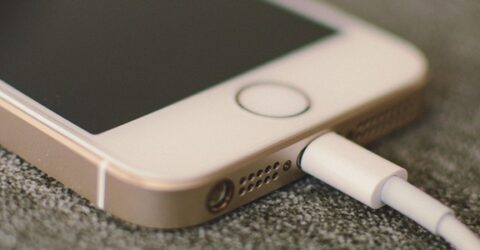
That typically entails little more than inserting a USB cable and getting on with life.
However, there are circumstances where speeding up device charging would be helpful, or downright vital.
Imagine a scenario where you’re notified of an upcoming power cut but you’ve got important work to do – an online job interview, or a same-day deadline.
Perhaps you’re about to do the school run with a low phone battery.
Maybe you’re attempting to take a fractious child somewhere it doesn’t want to go, and distracting it with a tablet or Switch console is the best way to avoid a meltdown.
In such circumstances, speeding up device charging can be of great benefit.
Here’s how to turbocharge a trickle charge before disconnecting from the mains…
Tips for speeding up device charging
The following advice is primarily aimed at hardware which performs more than one role, such as laptop computers.
Some tips could also accelerate the recharging of wireless headphones or other single-use peripherals, but this is rarely a priority for consumers.
- Buy or borrow fast charging cables, at the highest throughput wattage you can find. These tend to be pricier than the basic cables supplied with digital devices.
- Plug cables directly into wall sockets, instead of adaptors. A four-gang adaptor might simplify life behind a desk, but it’ll offer slower and potentially less consistent power.
- Disable WiFi. If every percentage of battery life counts, deactivating WiFi will prevent part of the charging process being redirected to sending and receiving incidental data.
- Do the same with Bluetooth. Even when it’s not in use, Bluetooth tends to be scanning for available devices, stealthily nibbling away at a device’s power supply or charge.
- Dim the screen and switch off peripherals. Bright screens are very power-intensive, so drop them down to the minimum brightness if the device needs to be in use. If not…
- Turn it off altogether. Unless you need to use hardware while it’s charging, switching it off will ensure almost all the incoming energy can be channelled into the battery.
- Wired charging beats wireless. The resonant charging capacities of wireless mats will always be less efficient than hardwiring something into a USB socket or plug adaptor.
- Minimise heat. Fan blades will rapidly deplete batteries, so remove protective cases and try to keep the ambient temperature low (away from radiators and direct sunshine, etc.)
- Don’t drain the battery beforehand. It takes longer to fill a nearly empty battery than one retaining at 20 per cent charge. Charging is most effective between 20 and 80 per cent.
There are also a couple of device-specific tips which may be of value.
On smartphones, engaging Airplane mode eliminates data transfers which could slow the rate of recharging.
On a computer, close apps and disable non-essential background processes to reduce their drag on performance and battery life, ensuring peripherals aren’t drawing power from it.