


VPN usage is booming – here’s how to use them safely
There’s been rapid growth in VPN usage since the Online Safety Act was introduced, but can these tools be trusted?
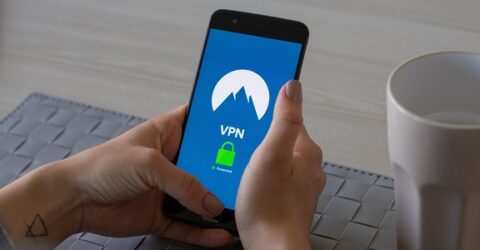
It didn’t require Nostradamus-like powers of prediction to anticipate rapid growth in VPN usage following last year’s introduction of the Online Safety Act.
We’ve previously discussed the repercussions of legislation whose noble intentions (protecting children from seeing harmful content) have arguably caused more harm than good.
Since the OSA was enacted, Ofcom reports a million UK people are using virtual private networks to cloak their identity every day.
There is also compelling evidence that many of these people are bypassing the surface web entirely, venturing into the murky depths of the unregulated Dark Web.
Again, we’ve previously explained how the Dark Web has become a repository for content you wouldn’t find through Google or Bing, which makes soaring user numbers a real concern.
Even setting aside the Tor Browser, it’s impossible to overlook the 1,800 per cent increase in new UK subscribers reported by Proton VPN once the OSA came into force.
So what are VPNs doing to preserve user anonymity, and are these utilities as safe as consumers tend to think?
Been around the world
Imagine standing in your front garden and looking across the street into the basement of a neighbouring house.
In doing so, you become visible to people who may be passing by, or people wishing to monitor your activities.
If you constructed an underground tunnel below your garden and the street, you could see into the basement without anyone else being able to observe you.
In essence, this is how VPNs work.
The encrypted tunnels used to channel internet data between user devices and host website server are created by VPNs to preserve user anonymity and prevent data being spied on.
It’s often possible to pretend you’re currently in another country simply by selecting a particular flag from a drop-down menu.
Host websites are informed that your device’s unique IP address is located somewhere other than the UK – perhaps Spain, or Singapore, or South Africa.
This means any restrictions or obligations placed on websites when they receive UK traffic – including geolocation blocking or the OSA’s age verification system – are sidestepped.
(The OSA insists UK residents visiting adult websites must provide written proof of age, even though such data is highly confidential and could very easily be abused or exploited.)
While emailing a passport scan to the shadowy host of an American porn website is clearly a huge safety risk, VPNs don’t have high street branches or UK call centres, either.
Here’s how to choose a provider safely.
Private parts
Some of the biggest names in this burgeoning market include Norton, Nord and Bitdefender, while numerous other companies also offer legitimate and trustworthy VPN services.
Only sign up to a VPN if it promotes a no-log policy. This ensures it won’t keep any information about individual user activity which could be used to identify those users in future.
Look for transparent privacy policies which clearly indicate what data is retained, and why. The recent growth in VPN usage has mainly been among no-log providers.
It’s generally safer to pay for VPN services than install a free utility. Nothing is truly free, and VPN providers have to recoup their operating costs one way or another.
Read unbiased reviews of VPN providers to ensure a particular operator uses advanced encryption (ideally AES) and has servers in numerous countries around the world.
This latter point helps to mitigate one of the disadvantages commonly associated with VPN usage – relatively sluggish web traffic speeds.
Once you open a VPN, any subsequent traffic will be shielded from public view, even if you’re sending and receiving data over an insecure public WiFi network.
However, it’ll still be visible if you log into any websites (including search engines), or if you continue using a browser bar which was open before you logged onto the VPN network.
Finally, a kill switch is recommended, as it disconnects your device if the VPN’s own connection drops out to avoid compromising your privacy.