


How the UK is leading the world in abolishing passwords
The UK is further towards abolishing passwords online than any other country – but why, and how?
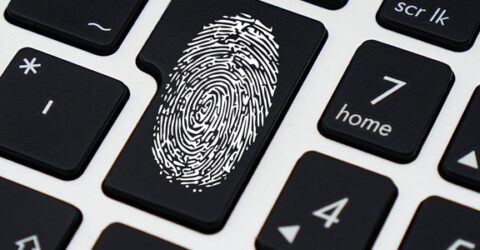
Online passwords are a pain.
Originally designed to provide a simple layer of security across online accounts, they are now increasingly used as part of a two-factor authentication login protocol.
As well as remembering a password, you also need a second web-enabled device (usually a smartphone) to access and transfer PIN codes from.
Passwords themselves have become increasingly bloated and unwieldy.
In response to the widespread use of simple passwords like ‘123456’, ‘admin’ or even ‘password’ itself, websites and apps now demand a veritable goulash of login components.
They typically require a blend of uppercase and lowercase letters, at least one number and at least one symbol, with a minimum of eight separate characters – but sometimes more.
And with IMF figures indicating cybercrime could cost the world $23 trillion in 2027, consumers aren’t supposed to use the same password more than once.
Considering the typical internet user has around 170 online accounts, that requires 170 unique combinations of uppercase and lowercase letters, numbers and symbols.
On top of the fact passwords are supposed to be regularly changed (especially if they’ve been associated with a data breach), the situation quickly becomes untenable.
No wonder most of us reuse variations of the same few passwords across multiple accounts, changing them only when we’re forced to.
Happily, the UK is closer than any other nation to abolishing passwords altogether – a process which is being explicitly encouraged by the security services.
Alternatives to passwords
Nobody is inferring that websites and apps no longer require secure logins. What’s changing is the process of confirming your identity.
Smartphone apps increasingly encourage (or insist on) biometric data to log in or access certain features, avoiding the inconvenience of 2FA or alphabet spaghetti passwords.
In theory, there’s no reason why this couldn’t be rolled out to every app, program and firewall a consumer or employee might wish to access, abolishing passwords at a stroke.
Smart TVs aside, most devices able to browse the web contain a camera capable of conducting facial recognition or a fingerprint reader. Many have both.
A live face can’t be guessed, and a fingerprint can’t be hacked, though voice ID might be easier to replicate using recordings of conversations or AI voice cloning tools.
What do the experts say?
A fortnight ago, the grandly titled National Cyber Security Centre said the public should stop relying on passwords because they’ve become too vulnerable to hacking.
Instead, we should adopt biometric passkeys.
This has a number of advantages, not least eliminating the need for 2FA, which is problematic for older people or anyone without a mobile phone.
Issues may arise involving the time-limited nature of some 2FA codes, particularly during periods of network congestion or when someone doesn’t have their phone handy.
While American companies like Google and Microsoft are championing the use of passkeys, UK citizens have become their most enthusiastic adopters.
Only last year, the NCSC claimed passkeys weren’t suitably secure. Yet subsequent progress means they’re now judged to be safer than a strong password allied to 2FA.
How else can I protect my digital identity?
If remembering 170 periodically changing passwords doesn’t sound appealing, you could entrust the process to a password manager tool.
These act as a single point of entry for numerous websites, services and apps, requiring a single master password that – like WiFi passwords – can be memorised with practice.
Enable biometric access on compatible apps/platforms/devices. Smartphones and tablets often require facial recognition or a fingerprint to unlock them in the first place.
If there’s no way around having a multitude of account login details, write a list of passwords in a journal, or add abbreviated reminders to website bookmarks and favourites.
Avoid logging into personal or sensitive accounts via insecure public WiFi and log out of any programs or websites accessed on shared devices like an office PC or a relative’s iPad.
Finally, if a web browser warns you a password has been compromised in a data breach, you must change it immediately – however inconvenient that may be.